
Typické číslování objednávek v Prestashop řešení je poněkud nepřehledné XNFDFVBG. In this tutorial we will show you how to do numerical 20260010 ideally nine-digit display for ideal use, for example, as variable symbol.
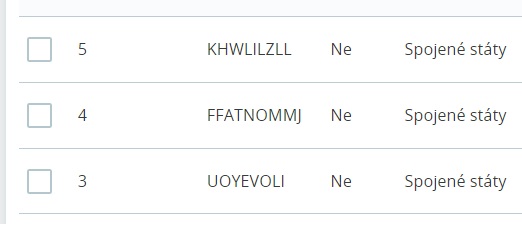
I prefer to use numbers to number my orders. After a little tweaking, the order numbering is clean and clear.
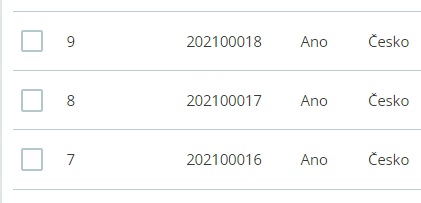
You can achieve this order number format very easily by modifying the original code.
1. Open your FTP database. In the folder /classes/order you download the file Order.php
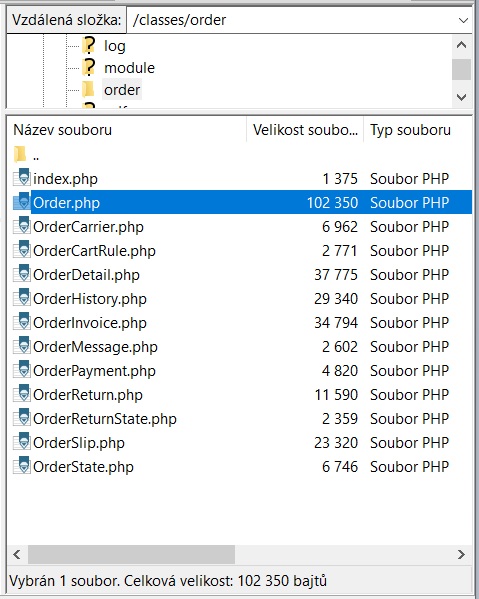
2. After downloading, the file Order.php open in NotePad or PSPad
Replace this code:
public static function generateReference()
{
    return strtoupper(Tools::passwdGen(9, 'NO_NUMERIC'));
}
New code:
public static function generateReference()
{
    $query = new DbQuery();
    $query->select('MAX(id_order) as max');
    $query->from('orders');
    $query->where('id_cart' > 0);
    $order = Db::getInstance()->getRow($query);
    $reference = $order['max'] +10 ;
    return sprintf('2026%05d', $reference);
}
2. Save the file and upload it back to the FTP database.
And you're done. The next order will be numerical.
You can still edit the line „return sprintf(‚2026%05d‘, $reference);“ 2023 indicates the prefix before the order number.d indicates the number of characters after the prefix, in this case it is 5 characters. I recommend leaving 5 characters, because the order number can also be the variable symbol number. Banks have a limited number for the variable symbol of a maximum of 9 characters, therefore it is a sum of 4+5 = 9 characters.
If you don't want to manually edit the generation of this number, I recommend the module Změna kódu objednávky – change reference code od mého oblíbeného vývojáře Prestashop modulů.
